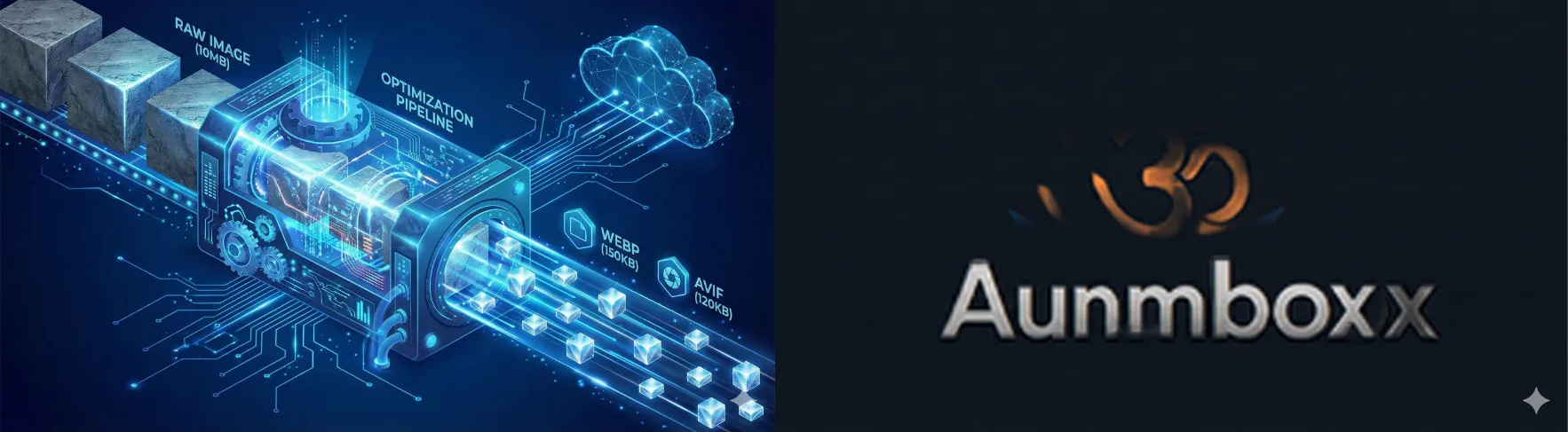
We quickly get used to the magic. Since I started using generative AI to illustrate this blog, I am often amazed by the quality and relevance of the results. You type a few words, and poof: a complex isometric illustration appears.
But sometimes, the magic derails. And when it derails, it doesn’t hold back.
Recently, I experienced a little mishap that perfectly illustrates the gap that still exists between our human understanding and the statistical “understanding” of an AI. Here is the story of the day my logo became a ghost.
The Request: Simple, Basic
It all starts with the logo for my “Aumbox” project. I had an excellent previously generated version: the bright orange “Om” symbol, dynamically popping out of a blue box, all on an elegant dark background.
On the other hand, I wrote an article about my image optimization pipeline for this blog. I wanted to illustrate this article with an image of the pipeline. So I make the simplest request in the world to the AI:

Wanting to use it for a larger illustration, I make the most mundane request in the world to the AI:
“Generate the image in full size.”
I expected the same image, just bigger. Makes sense, right?
The Result: The Void
The AI thinks for a few seconds and delivers… this:
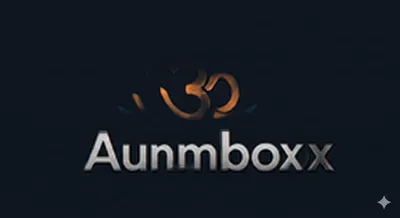
If you are on mobile or in a bright room, you probably see a black square. But if you turn your brightness all the way up and squint in complete darkness, you will see… a ghostly shape. It’s the logo, but it has been drained of all its light and colors.
Nothing to do with the image for the article.
How is this possible? How can an AI capable of drawing complex futuristic cities fail on a simple request?
Understanding the Bug: The AI Doesn’t “See”
This failure is fascinating because it reminds us of what a generative AI truly is. It doesn’t “understand” the concept of “logo”, “light”, or “enlarge”. It manipulates mathematical probabilities based on tokens (pieces of words) and pixels.
Here are the three main theories on what happened in the model’s “brain”:
1. The “General Vibe” Syndrome
The original image has a very dark background. Upon receiving the request to generate the image in “full size”, the AI might have over-interpreted this characteristic.
It failed to separate the subject (the bright logo) from its environment (the black background). For it, the “vibe” of the image was “darkness”. So it zealously applied this rule to the entire image, turning off the main subject in the process. It’s an error in interpreting the overall context.
2. The Contextual “Hiccup” (Information Loss)
In a continuous conversation, the AI must keep the previous context in memory. Sometimes, between two steps, information falls by the wayside.
Here, the AI clearly confused the context of my illustration with that of the logo. But furthermore, it kept the shape (the Om symbol and the box are there), but it “forgot” the color (orange, blue) and brightness attributes. It generated the default structure, without the textures. It’s a bit like a painter forgetting to put paint on their canvas after doing the sketch.
3. The Statistical Quirk
Finally, we must never forget that these models are probabilistic. There is always a tiny chance that the generation process takes a wrong numerical path. It’s the equivalent of a die landing on its edge. It’s rare, but it happens.
The Lesson: Be Explicit
The lesson of this story is simple: never assume the AI understands the implicit.
For a human, “enlarge the image” obviously implies “keeping the colors and light”. For an AI, it’s not obvious.
To course-correct, you shouldn’t just rerun the same command. You need to be directive and add the lost information back into the prompt. Instead of “Generate the image in full size”, the corrective prompt becomes:
- Concept: A futuristic funnel or clean industrial machine…
- Suggested prompt: “Isometric 3D illustration of a digital factory…”
I want the image in full size.
AI is an incredibly powerful tool, but sometimes it needs to have its hand held… and to be reminded to turn on the light.